
Your website is live, but the phone is quiet and enquiries are few and far between. Before redesigning everything or increasing your advertising budget, find out where the journey breaks down: are the right people reaching your site, understanding your offer and finding an easy way to contact you?
01
1. Is your offer clear from the first screen?
Open your homepage and read only the heading, first sentence and main button. Can someone understand what you do, who you help and where you work? A phrase such as ‘Let’s achieve your ambitions together’ may sound professional, but it makes visitors search for the essential information. Someone comparing several businesses needs concrete details.
Hypothetical example: for a renovation company, ‘Bathroom renovations in Gatineau and the Outaouais’ is more specific than ‘Your trusted partner’. A short sentence can then explain the work offered and how to start a project. The goal is not to explain everything above the fold, but to confirm quickly that the visitor is in the right place.
Try this: show the first screen to someone who knows little about your business. Ask them to describe your offer in their own words. If they hesitate, improve the message before adding visual effects. Our guide to preparing your website before the design stage can help you organize these initial decisions.
02
2. Are your services and service area specific enough?
A visitor may like your website without knowing whether you can actually help. Broad categories, services presented as a simple list and an unclear service area leave important questions unanswered. For each main service, explain who it is for, what it includes and what you need to confirm during an initial conversation.
Describe the areas you serve naturally. If you work remotely, say so. If you travel to customers, explain the practical limits. You can also outline the usual project stages, what customers should prepare and how you develop an estimate, without suggesting a single fixed price when the work depends on individual needs.
Try this: take the three questions people most often ask before an appointment and answer them on the relevant page. Check that your website and Business Profile tell the same story. Google recommends keeping local business information complete and accurate, including your business activity and opening hours.
03
3. Do you give visitors concrete reasons to trust you?
Saying that your business provides excellent service does not yet help readers assess your work. Detailed projects, photographs of your work and authentic testimonials provide more tangible evidence. Useful evidence answers a specific concern: do you understand this type of project, how do you work and what does the result look like?
Present a project with its context, your contribution and the details you can actually document. Do not turn a positive customer comment into a promise of measurable results. Keep reviews faithful to the customer’s words and obtain permission where required for the intended use. General illustrative images should not be presented as photographs of actual customers or completed projects.
Try this: place a relevant example near the service it supports, rather than collecting every reason to choose you at the bottom of the page. Explore Clevoxa’s website projects to see different ways of presenting work. A clear business identity, accessible contact details and an informative about page also help visitors understand who they would be dealing with.

04
4. Does the journey really work on a phone?
A page that looks good on a computer can be difficult to use on a small screen. Text may feel cramped, a pop-up may cover the main button, or a menu may make it hard to return to a service page. This is more than a visual issue: it affects whether visitors can move towards contacting you.
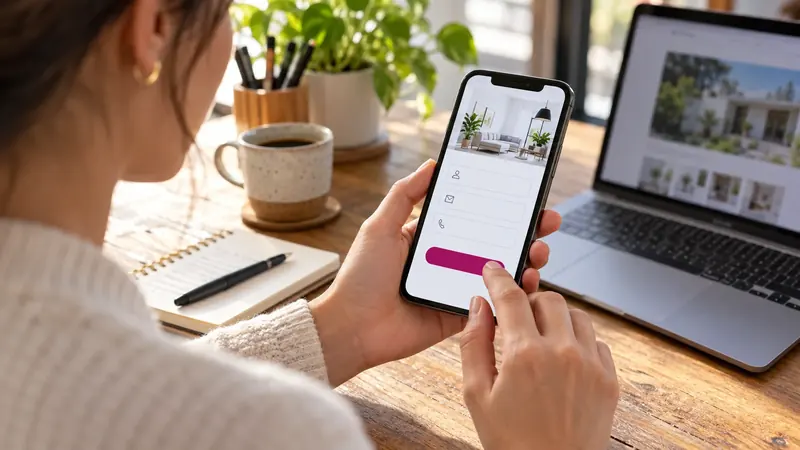
Test the experience on a real phone using a mobile connection. Start on the homepage, find a service, open it, read the information and reach the contact form. Check that buttons are easy to tap, nothing extends beyond the screen horizontally and the keyboard does not make fields unusable. Try the call and booking links as well.
Try this: complement your hands-on test with PageSpeed Insights, then address the issues that genuinely interfere with the journey. One score does not describe the entire experience. Google’s guidance on page experience includes mobile usability, security and intrusive elements. Compress images without making them blurry and avoid animations that delay reading.
05
5. Is the next step obvious?
Once readers understand your service, they should know what to do next. A button labelled ‘Learn more’ serves a different purpose from ‘Request a quote’. If the page is meant to generate enquiries, include an explicit call to action near the offer and after the information that helps visitors make a decision.
Match the label to what actually happens after the click: book an appointment, request an estimate, call or describe a project. Briefly explain what comes next when it helps remove uncertainty. For example: ‘Tell us what you need and we’ll contact you to discuss the project.’ Only promise a response time if your business can consistently meet it.
Try this: choose one main action for each page and check where it leads. An advertisement for a specific service should lead to a page about that service. If you are planning a redesign, our website design service can help you connect the message, supporting information and contact process.
06
6. Does your form make the first conversation easier?
A form can discourage an interested person when it asks for too much information too soon. Requiring a detailed budget, a full address and multiple attachments before the first conversation does not suit every business. On the other hand, an overly vague form may produce enquiries that are hard to handle. Aim for the minimum information needed to respond appropriately.
Depending on the service, a name, a way to reply and a short description of the need may be enough for an initial enquiry. Clearly distinguish required and optional fields. Provide understandable error messages and a confirmation after submission. Visitors should know whether their message has been received.
Try this: send a test enquiry and confirm that it reaches the intended inbox or system. Check the spam folder too. Deliberately make an error to see whether it is easy to correct. Finally, assign responsibility for follow-up: a working form is not enough if nobody handles the messages. An organized lead follow-up process helps you keep track of the next action.
07
7. Are you attracting enough relevant visitors?
A website can be clear and functional while receiving very few visits. In that case, changing a button’s colour does not address the main problem. Distinguish visibility, traffic quality and conversion. A relevant visitor has a need that matches your services and, when necessary, is located within your service area.
The Google Search Console performance report lets you examine impressions, clicks and queries from Google Search. It does not represent all traffic to your website, and it does not prove that a visit became a customer. Compare this information with the enquiries you actually receive and the sources you can identify.
Hypothetical example: three enquiries from one hundred visits during a given period produce a 3% enquiry rate, provided the figures are counted consistently. This is neither a benchmark nor a promise. With small volumes, one additional enquiry changes the result considerably. Observe several comparable periods before drawing conclusions.
Try this: if the right people are not finding your pages, work on your service content and search engine optimization. If people arrive but do not contact you, review the previous six points. If enquiries arrive but do not become customers, also consider their relevance, your offer and the quality of your sales follow-up.

08
Where should you start this week?
First, check that an enquiry can be sent and received, then clarify your offer and your main button. These checks may reveal a specific obstacle without immediately committing to a complete redesign. Record the changes you make, their dates and the measures you are tracking. Avoid changing the message, form and traffic source all at once if you want to understand what made a difference.
Choose an observation period that suits your visitor volume and your customers’ decision-making cycle. Compare similar periods while accounting for campaigns, seasonality and your availability. The useful question remains: are the enquiries you receive becoming a better match for the projects your business can take on?
Want to understand what might be holding back enquiries on your website? Share your website and your goals with Clevoxa. We can review the journey and discuss the most relevant improvements for your situation.
Share this article
KEEP THIS HANDY
Your checklist
- An offer that is clear from the first screen
- Specific services and service areas
- Authentic and relevant supporting evidence
- A journey tested on a phone
- An obvious next step
- A form tested through to message reception
- Visits and enquiries analysed separately
Frequently asked questions
Why does my website receive visits but few enquiries?
Visitors may not be a good match for your offer, may lack information needed to decide or may encounter an obstacle when contacting you. Check traffic relevance, service clarity, supporting evidence, buttons and form functionality.
Do I need to rebuild my entire website to attract more customers?
Not necessarily. Start by testing whether an enquiry can be sent and received, then clarify your offer and main action. These checks may reveal targeted improvements before a complete redesign is needed.
What is a good website enquiry rate?
There is no universal threshold that suits every business. Results depend on factors such as the offer, traffic sources and decision-making cycle. Compare similar periods using figures counted consistently.
How can I distinguish a visibility problem from a conversion problem?
If few relevant people find the website, examine visibility and traffic sources. If they arrive but do not contact the business, review the message, trust signals and journey. If enquiries do not become customers, also examine their relevance and sales follow-up.
About these insights
This content provides general guidance, examples and preparation ideas. Fictional examples are identified as such, and external sources are cited where used. Platform tools and rules may change.
Report information that needs correcting ↗