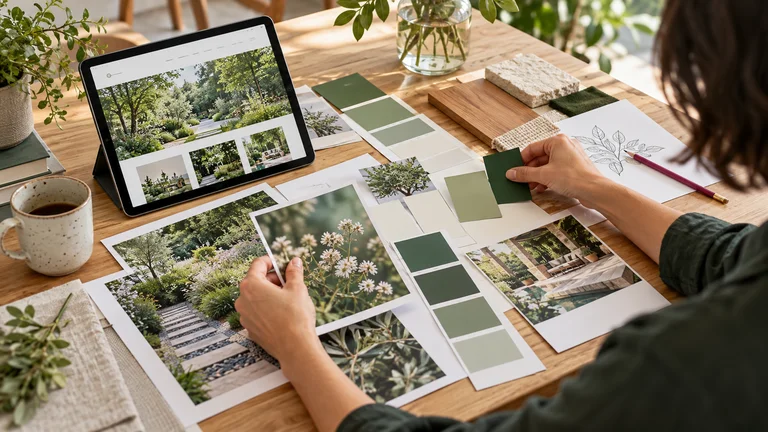
You like your logo, but your website, social posts and documents look as though they belong to three different businesses. The problem may be the choices around the logo: colours, type, photographs, spacing and the way services are presented. Here is how to bring those choices together.
01
Before: every piece follows its own direction
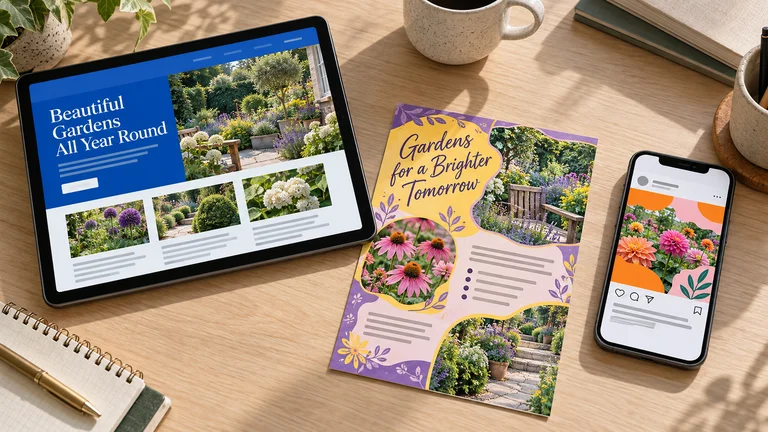
Consider a small gardening business. This is a fictional teaching example, not a Clevoxa client project. Its website uses blue and traditional headings. Its social posts combine orange, pink and heavy lettering. Its leaflet adds purple, yellow and a decorative heading. Each piece might look acceptable on its own; together, they no longer tell the same story.
Yet the business offers the same services everywhere. It wants to appear approachable, careful and easy to contact. Its materials do not express those intentions consistently. Every new post starts from a different template, with colours chosen according to whoever is working on it that day.
Before changing anything, gather the materials you use most often. Put a website screenshot, three recent posts and a sales document side by side. Note what repeats and what changes for no clear reason. This inventory helps separate useful elements worth keeping from habits that make the overall identity harder to follow.
02
After: shared cues, adapted to each format
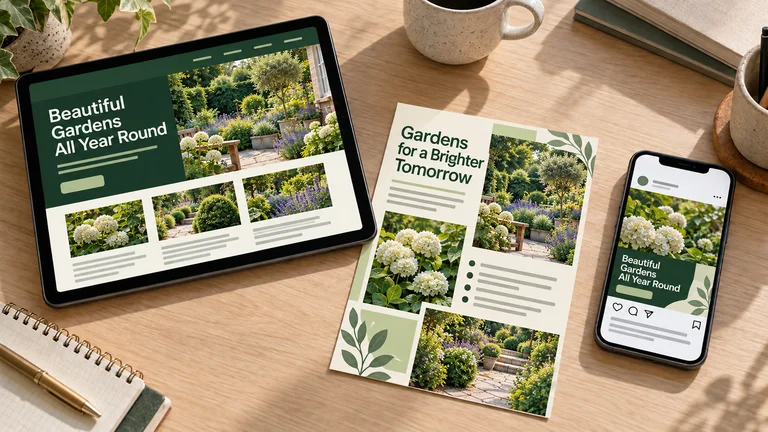
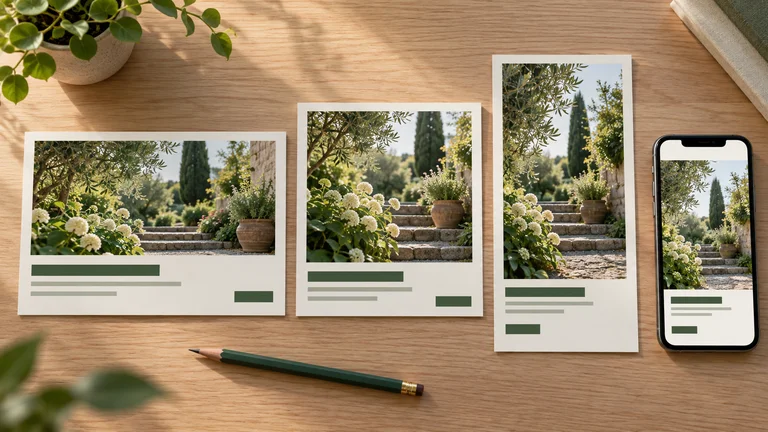
Our gardening business keeps its activity and its offer. It adopts a shared palette, a consistent heading style and photographs focused on plants and the work performed. The tablet, phone and leaflet now use the same visual cues. Their compositions still suit the space available: a web page can contain more information than a small social post.
This does not require every piece to look identical. It creates a visible family resemblance. A primary colour returns, headings feel related and the photographs give a compatible impression. A reader can move from an advertisement to a service page without entering an entirely different visual world.
The comparison demonstrates graphic consistency, not a measured increase in sales. There is also a practical benefit for the team: established choices replace decisions that previously had to be made again for every design. In a website design project, these shared cues provide a concrete starting point for the pages and future materials.
03
Give colours a job
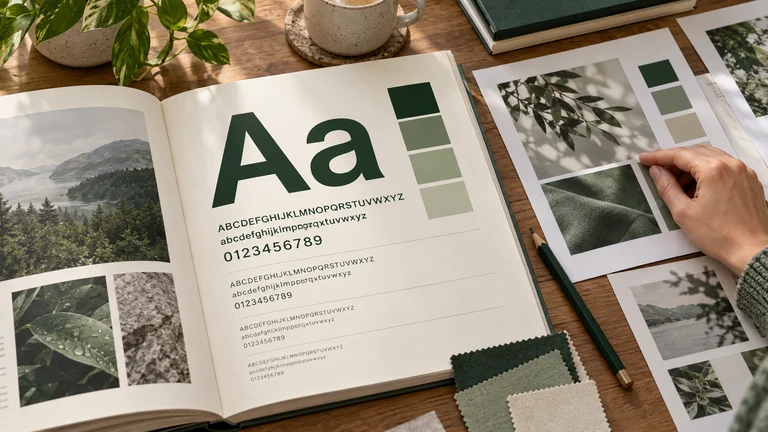
For this example, we choose a dark green, a softer green and a warm cream background. Dark green is used for headings and elements needing attention, softer green supports selected areas and cream provides a quiet background. This choice fits the project’s direction. It does not mean a particular colour automatically creates an emotion or produces a sale.
A palette becomes useful when its application is explained. Specify text and background combinations, button colours and the situations where an alternative is needed. Check these combinations on a real page with ordinary text and links, rather than judging them only as large blocks of colour.
The W3C describes a minimum contrast ratio of 4.5:1 for ordinary text, with exceptions including large text. Colour should not be the only way to communicate an error or action either: the criterion on the use of colour explains that principle. A clear label or another visual cue should support the colour coding.
04
Choose typography your team can use
Changing fonts with every design can make the overall identity harder to follow. To start, one type family with several weights may be sufficient. A second can have a specific job, such as large headings. The exact number matters less than whether the same choices can be reproduced reliably.
Define an example of a heading, subheading, paragraph and button. Examine accented characters, numbers and long sentences. An attractive isolated letter does not show how a complete offer reads on a phone. Avoid making text smaller by default whenever a layout runs out of space.
In our example, the leaflet drops its decorative heading, which was difficult to connect with the website. All three pieces adopt a simpler hierarchy. Sizes change with the format, while the style remains stable. These decisions belong in the preparation before website design begins: they reduce the need to redefine everything once the pages are filled.
05
Make photographs feel related
A website with cool-toned photographs, an advertisement with highly saturated colours and a leaflet full of generic imagery can create different impressions. Start with the subjects worth showing: services, materials, the setting and details that help people understand your work. Then define compatible lighting and framing.
For the gardening business, the direction focuses on plants, details of work and maintained spaces. For your own materials, use your photographs when presenting a completed project, your team or your premises. A mood image should not become evidence of a job or result you did not deliver.
Prepare several crops of a photograph: a wide version for the website, a square and a vertical version for posts. Check that the subject survives the crop and that text does not cover the important detail. A shared direction leaves room for variety; it does not mean using the same photograph indefinitely. Keep the intended purpose of each image clear when selecting it.
06
Protect the logo as a stable reference
Making your materials consistent does not necessarily require a new logo. If the current one remains appropriate, start by using it more carefully. Preserve its proportions, details and approved versions. Stretching it to fill a box or retyping it in a similar font creates avoidable variations.
Plan for familiar situations: light backgrounds, dark backgrounds, small placements and printed documents. A version that reads well at a large size may become difficult to recognize in a small space. Use a version designed for that purpose when one exists, rather than removing elements without a clear plan.
Keep approved files in a shared folder with descriptive names. Add an example showing the space to leave around the logo and the backgrounds it can appear on. The correct file should be easier to find than an old blurry screenshot retrieved from an email. This organization helps keep the identity consistent when several people produce materials.
07
Use templates that still allow variety
Consistency lasts when it becomes part of everyday tools. Prepare a few templates for genuine needs: introducing a service, sharing advice, announcing availability and sending a document. Keep the same visual cues while adapting the image placement and text length to each message.
A template does not require you to publish the same thing repeatedly. It provides room for the subject, a readable hierarchy and a clear next step. For an advertisement, also check that the destination page matches the offer being promoted. Our article on preparing a Meta campaign develops that part of the process.
In our example, the leaflet retains detailed practical information. The social post highlights one message, while the website lets readers explore the services. Consistency concerns the visual cues and the promise, rather than an exact copy of the same layout across every format. A recognizable style can support many different subjects and campaigns.
08
Create a short guide that works tomorrow
Your first guide can be a few pages long: approved logo files, a palette with instructions, typography examples, a photographic direction and templates. Include combinations to avoid and explain where the editable files are stored. The document should help someone produce a real piece of communication, not simply display attractive presentation boards.
Test it by giving a small exercise to a colleague: prepare a post and one document page without asking you for new instructions. The points where they hesitate reveal which rules need clarification. Then update the materials people see most often before spending time on rarely used archives.
Finally, keep paying attention to the content. Harmonized visuals do not replace a clear offer or accurate information. If your website needs to reflect your business more faithfully, show us your current materials. We can start with what exists, identify the gaps and define a consistent direction for your web project. The starting point is the whole set of materials, not the logo alone.
Share this article
KEEP THIS HANDY
Your checklist
- Materials gathered to compare differences
- A palette with defined uses and checked contrast
- A typographic hierarchy that is easy to reproduce
- A shared photographic direction
- Approved logo files organized clearly
- Templates suited to real tasks
- A short guide tested by another person
Frequently asked questions
Do you need a new logo to make your visual identity consistent?
Not necessarily. You can start by keeping the existing logo and harmonizing the colours, typography, photographs and layouts around it. Redesigning the logo should be a separate decision based on its use and relevance.
Should you use exactly the same layout everywhere?
No. Websites, posts and documents have different constraints. Keep shared visual cues while adapting the composition, amount of text and image framing to each format.
What should a short visual identity guide include?
It should bring together approved logo versions, colours and their uses, typography rules, a photographic direction and a few templates. Include file locations and practical examples to make the guide easy to use.
Which materials should you update first?
Start with what prospects and customers see most often: the website, recent posts and sales documents used every day. Check their consistency together before changing less frequently viewed materials.
About these insights
This content provides general guidance, examples and preparation ideas. Fictional examples are identified as such, and external sources are cited where used. Platform tools and rules may change.
Report information that needs correcting ↗