
Enquiries arrive through your website, advertisements or customer recommendations. Yet several conversations stop after the first message or after you send a quote. Before looking for more contacts, examine what happens between the request and the decision. A clear follow-up process helps people understand the next step and helps your team avoid losing track of a conversation.
01
Find out where enquiries lose momentum
A request that goes quiet does not automatically mean the person has lost interest. The project may be postponed, the need misunderstood, the quote difficult to compare or your reply overlooked. Start by reviewing recent enquiries: which ones are waiting for you, which are awaiting a customer decision and which fall outside your services?
Avoid treating every unanswered message as the same situation. Record the last action and what is needed to move forward. ‘Quote sent’ describes the past; ‘Check receipt on Friday’ prepares the next step. If you mainly receive visits and very few messages, start with our guide to what to check when a website generates few enquiries.
For businesses already receiving contacts, the priority may be organizational: a monitored inbox, an assigned owner and a visible next action. This does not guarantee a sale, but it makes enquiries easier to handle.
02
Acknowledge the request and explain the next step
Someone who has just completed a form needs to know whether it arrived. An acknowledgement can mention the service requested, explain what happens next and provide a way to add information. It should not suggest that someone has assessed the project when nobody has reviewed it yet.
Example message to adapt: ‘Hello [name], we have received your enquiry about [project]. [Team member] will review the information and contact you to discuss what you need. You can reply to this message if you would like to add a useful detail. Thank you!’
Only promise a response time that your team can meet. A small business can set realistic periods for handling enquiries rather than promising constant availability. Also check that both the acknowledgement and the internal notification work: a message received by the prospect does not prove that the enquiry reached the right team member. Our workflow and communication automation services can support this first handover.

03
Ask questions that make the quote useful
Before estimating the work, restate the need in the customer’s own terms. Identify the expected outcome, scope, location where relevant and preferred schedule. Ask which constraints need to be considered. An indicative budget may help you explain suitable options, but make the reason for the question clear and leave room for discussion.
Do not turn the first conversation into an interrogation. A few relevant questions are often more useful than a form demanding every detail before any contact. For a complex project, suggest a short conversation to identify the information needed for a meaningful estimate.
Hypothetical example: a contractor receives a bathroom renovation enquiry. They clarify the planned work, available dimensions and access constraints before suggesting the next step. This helps distinguish an early exploration from a project ready for assessment. An enquiry outside the service area or scope can be redirected or closed clearly instead of remaining on the list indefinitely.
04
Give each enquiry one place, one owner and one next action
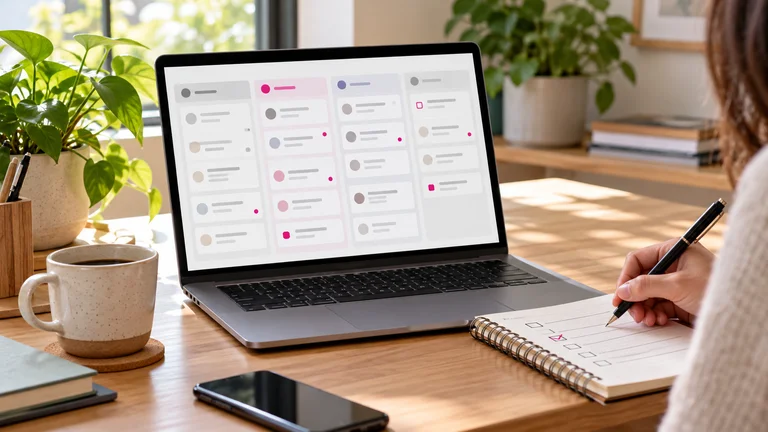
Conversations may begin through a form, telephone call, email or social media message. If each channel keeps a separate list, a colleague may follow up with someone who has already been contacted, or assume another person is handling the request. Collect useful information in one shared place: contact details, need, source, status, last exchange and next action.
A simple spreadsheet may be enough initially. A CRM becomes useful when you need to retrieve history, assign enquiries and manage more reminders. The HubSpot task documentation, for example, explains how to associate a task with a contact, assign it and set a due date. The principle matters more than the software name: someone should know what to do and when.
Use only a few statuses, with clear meanings: new enquiry, needs clarification, quote to prepare, quote sent, awaiting decision, won or closed. Our lead follow-up support helps structure this journey around the way your business works.
05
Follow up with a useful reason, without applying pressure
When sending a quote, agree on a time to discuss it if possible. A date chosen together provides a more relevant framework than an identical sequence for everyone. The right pace depends on the project, expressed urgency and the customer’s decision process. There is no magic number of days or follow-ups that works for every business.
Example after sending a quote: ‘Hello [name], have you had a chance to review the quote for [project]? I can clarify the scope or answer any questions. Would a short conversation help, or would you prefer more time to consider it?’
A follow-up should offer a way forward: clarify an option, explain a stage or arrange a conversation. Avoid inventing urgency or limited availability. If someone asks you to stop contacting them, stop the follow-up. If they postpone the project, record the date they suggest rather than continuing an automatic sequence.
Example for pausing a request: ‘Hello [name], I’ll put your enquiry on hold for now. If the project is still current, you can reply and we can pick up the conversation. Thank you for your interest.’

06
Automate reminders and keep human judgement
Acknowledgements, internal notifications and task reminders are good candidates for automation. Decisions about a quote, objections and changes in scope require attention to context. A sequence should stop when a reply, appointment or decision makes the next message unnecessary.
Before activating a workflow, test several situations: a prospect replies immediately, books a call, declines the proposal or asks for more time. Check that messages do not contradict each other and that duplicates are not sent. Also distinguish following up on the requested project from subscribing someone to marketing communications: requesting a quote does not mean the person wants every promotion you send.
If contacts come from Facebook or Instagram, connect the advertisement’s message with the sales conversation. Our guide to preparing a Meta advertising campaign explains why you should organize how enquiries will be received and handled before launching.
07
Measure decisions, not just incoming messages
Count relevant enquiries, completed conversations, quotes sent and confirmed projects. Record reasons for closing an enquiry when they are known: timing, scope, availability or choosing another solution. Do not invent a reason when a prospect simply does not reply. These observations help you assess whether the issue concerns targeting, the offer or the follow-up.
Hypothetical example: of twenty enquiries, twelve match the services offered, eight lead to a quote and three become confirmed projects. Each stage answers a different question. Three projects from twenty enquiries is not the same measure as three projects from eight quotes. Keep your definitions consistent and avoid comparing recent enquiries with older ones that have already had time to reach a decision.
On your website, Google Analytics key events can measure important actions, such as a correctly tracked form submission. They do not replace the actual status of the enquiry in your follow-up system. A submitted message is not yet a customer.

08
A simple workflow to adapt this week
When the request arrives: acknowledge it, create the record and assign an owner. During the first conversation: clarify the need and agree on the next action. When sending the quote: restate the scope and suggest a time for questions. On the agreed date: check the situation, then move forward, postpone or close the enquiry.
This workflow is a starting point, not a mandatory schedule. Begin with a few enquiries, check that their history remains understandable and adjust any steps that create confusion. A simple process that people actually use is more valuable than a system full of statuses that nobody updates.
Would you like to organize incoming requests more effectively? Let’s discuss your follow-up process. Clevoxa can help connect your website, forms and next actions so that every enquiry has a clear path forward.
Share this article
KEEP THIS HANDY
Your checklist
- A clear acknowledgement for each enquiry
- The need clarified before quoting
- An owner and a next action for every enquiry
- Follow-ups adapted to the situation
- Automations tested and stopped at the right time
- Enquiries, quotes and confirmed projects measured separately
Frequently asked questions
When should I follow up on a quote?
Whenever possible, agree on a date with the prospect when sending the quote. Adapt the follow-up to the project, decision timeline and replies. No single delay suits every situation.
How many follow-up messages should I send?
There is no universal number. Each message should have a useful purpose and account for previous conversations. Stop if the person asks you to, and pause the enquiry when no next step has been agreed.
Do I need a CRM to manage quote requests?
A shared spreadsheet may be enough for a small volume. A CRM becomes useful for centralizing history, assigning enquiries and managing reminders. Either way, each enquiry should have an owner and a next action.
What can I automate in sales follow-up?
You can automate acknowledgements, internal alerts and reminders. Make sure messages stop when a reply, appointment or decision changes the situation, and keep human involvement for specific questions.
About these insights
This content provides general guidance, examples and preparation ideas. Fictional examples are identified as such, and external sources are cited where used. Platform tools and rules may change.
Report information that needs correcting ↗