A customer is looking for a nearby professional. They compare a few results, check opening hours and look for a way to get in touch. Does your business give them the information they need? Before adding more posts or redesigning your website, review the details that help people find you, understand your services and contact you.
01
1. Does your Google profile accurately represent your business?
Start by searching for your business name and city. Check that you recognize the profile, can manage it and that the information reflects your current activity. If an old listing or a duplicate appears, understand the situation before immediately creating another profile.
Your name should reflect the actual business name, without artificially adding locations or services. Choose a primary category that describes your work and relevant additional categories. Consult Google’s business representation guidelines to check your setup and eligibility. An online-only business should not be presented as a storefront welcoming visitors.
Check this: can someone discovering the profile understand what you do, when you are available and how to start a conversation? Make a short list of missing information. Fixing a concrete error is a better starting point than changing every field without a clear purpose.

02
2. Are your services and service area clear?
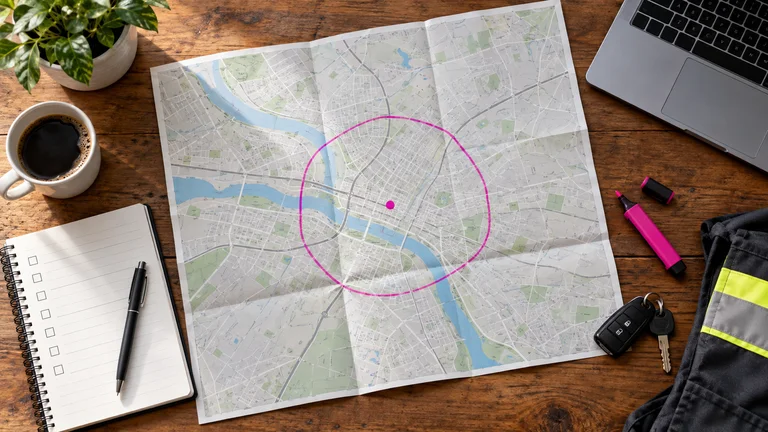
Visitors should not have to guess whether you work in their neighbourhood. Describe your main services and explain where you provide them. Distinguish between a location where customers can visit you and the areas where you travel to them. These details answer different questions.
For businesses that travel to customers without receiving them at their own premises, Google requires hiding the address on the profile and specifying the service area. Use its service-area guidance to check your settings. List the places you actually cover; a long list of cities should not replace the ability to serve those locations.
Hypothetical example: a cleaning company works in Gatineau and selected nearby neighbourhoods. Its page explains the services offered and invites people near the edge of the area to check availability. Readers get a useful answer without sending an enquiry just to find out whether a visit is possible.
The same information should appear on the website. Our search engine optimization support can help organize pages that explain a service and its local context clearly.
03
3. Are your contact details and hours consistent?
Compare your profile, contact page, website footer and the directories your customers actually use. Your name, telephone number and visiting arrangements should be clear and consistent. Check older links too, particularly after changing your domain or redesigning the website.
This is not a promise that each typographic adjustment will improve rankings. The immediate purpose is to prevent an unnecessary journey, a call to the wrong number or a booking on an abandoned page. Account for special hours, closures and periods when you only work by appointment.
Try this: ask a colleague to find your contact information without using saved bookmarks. Have them test the telephone number and website link on a phone. Record any contradictory details they encounter. A small list of targeted corrections is easier to maintain than automatic registration in dozens of directories nobody monitors.
04
4. Do your pages answer local customers’ questions?
A useful page explains the service, the situations it addresses, the usual process and the next step. Mention the relevant area naturally when it helps the reader. Repeating a city name in every sentence cannot replace a precise description or a useful answer to a customer’s question.
Avoid creating many almost identical pages by changing only the location name. Google’s spam policies describe doorway pages designed to capture similar searches. A separate local page should have a genuine purpose: an actual location, particular services, access information or a specific local context.
Try this: choose your main service and answer three questions: who is it for, what does it include and how can someone request information? Then add verifiable details that illustrate your work. If visitors arrive without contacting you, our guide to seven checks for a website receiving few enquiries complements this review.
05
5. Do your photos and reviews give an accurate impression?
When presenting your business on its profile, use current photographs of your premises, reception or work when you have permission to publish them. Someone should be able to recognize the entrance or understand the type of service. Remove images that have become misleading after a move or a significant change.
Reviews provide another perspective. Invite customers to describe their experience without prescribing a rating, offering a reward or selectively asking only satisfied customers. Google explains its recommendations for collecting reviews. Respond thoughtfully and suggest a direct conversation if an issue requires a private discussion.
Try this: view your profile as someone who has never met your team. Do the photos still reflect the current situation? Do your review responses provide useful information? Our article on requesting authentic feedback offers a straightforward approach. You can also explore our Google review request service.

06
6. Is it easy to contact you after finding you?
Visibility is not enough if the journey stops after the click. Open your profile on a phone, follow the website link, find a service and try contacting the business. Check that the call button works, the form remains readable and the booking link leads to the right service.
There should be continuity between what visitors saw on Google and what they find on the page. If you mention a specific service, avoid sending them to a page that only describes the business in general. Explain what happens after submission too: confirmation, a discussion of the need or an appointment proposal.
Try this: send a test enquiry and verify that it arrives. An on-screen confirmation does not prove that the right person receives the message. Then assign someone to follow it up. Our guide to handling quote requests more effectively explains how to give each enquiry a next step.
07
7. Are you measuring the right things?
In your Google Business Profile performance data, review the interactions available for your business. A tap on the call button is not necessarily a completed call; a website click is not an enquiry. Available metrics vary, and the report may include interactions associated with advertisements.
Compare these observations with the enquiries you actually receive. Record their source when known, their relevance and what happened next. Compare periods of similar length while accounting for closures, campaigns and seasonality. A change over a few days with little traffic is not enough to draw a conclusion on its own.
Google says local ranking primarily depends on relevance, distance and prominence. Its local ranking guidance notes that a better position cannot be purchased on request. Your own search from one location does not represent what all customers see. The practical goal remains helping relevant people understand your business and making a useful conversation easier.

08
Your checklist for this week
Start with errors that prevent a customer from taking action: a wrong number, inaccurate hours, a broken link or a poorly explained service. Then improve the content that helps people decide, such as a clear service page and current photographs. Finally, choose a few measures you can monitor regularly without changing their definitions.
Keep a record of changes and their dates. If you change the website, profile and campaigns at the same time, it becomes harder to understand what contributed to an improvement. Make useful adjustments, observe what happens and build on that work. A reliable local presence needs ongoing attention.
Want to know where to start for your business? Share your website and Business Profile with Clevoxa. We can discuss priorities for making your services easier to find and your contact journey clearer.
Share this article
KEEP THIS HANDY
Your checklist
- A profile reflecting the actual business
- Clear services and service areas
- Current contact details and hours
- Useful, distinct local pages
- Current photos and authentic reviews
- A contact journey tested on a phone
- Interactions compared with actual enquiries
Frequently asked questions
Does a Google Business Profile replace a website?
It provides practical information and supports certain interactions. A website complements it with service pages, explanations and a contact journey you can organize in greater detail.
Should I display my address if I work at customers’ premises?
If you do not receive customers at that address, Google requires hiding it on the profile and specifying the service area. Your configuration should reflect how the business actually operates.
Can a first-place position on Google Maps be guaranteed?
No. Local results depend on factors including relevance, distance and prominence. They may vary with the query and location. Improving a profile does not guarantee a specific position.
Where should I start to improve local visibility?
First correct essential information and test the contact process: services, area, hours, telephone number and links. Then improve useful service pages, photographs and the way you monitor interactions.
About these insights
This content provides general guidance, examples and preparation ideas. Fictional examples are identified as such, and external sources are cited where used. Platform tools and rules may change.
Report information that needs correcting ↗